
Photo Privacy for AR Quotes: Guide for Pergola & Awning Installers
Collecting customer photos for AR previews speeds sales—but mishandling them risks privacy, fines and lost trust. A practical checklist for installers to capture, store and use site photos safely—plus how Configurix handles consent, EXIF, security and retention.
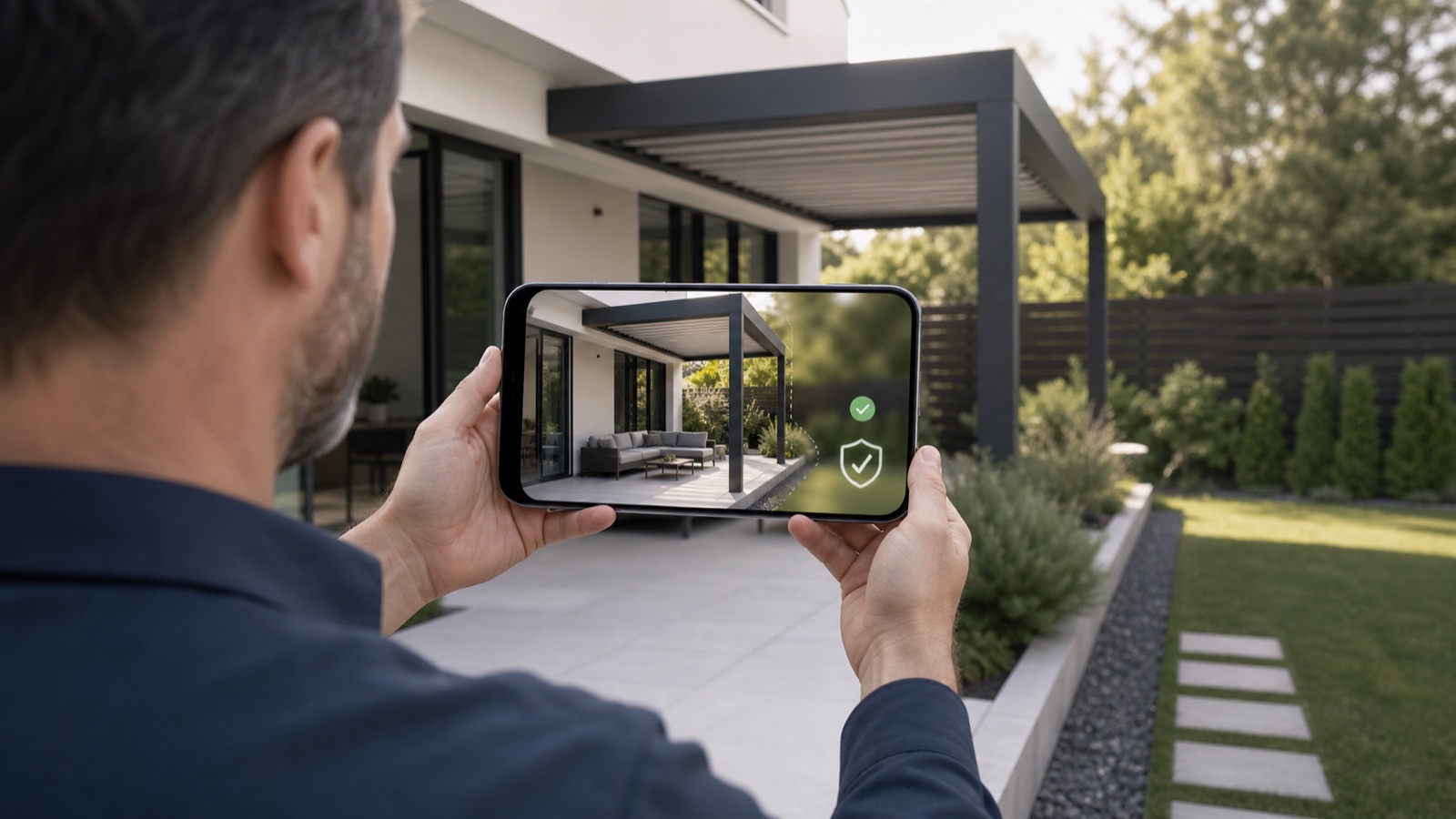
Table of contents
- Why photo privacy matters for AR-enabled sales
- The core privacy principles you must follow
- What to capture (and what to avoid)
- Strip EXIF & GPS metadata before storage or sharing
- Consent: what to show and how to record it
- Secure storage, limited access, and retention
- Don’t turn photos into biometric profiling without clear consent
- Practical photo workflow checklist for installers
- Table: common capture items, risks and handling steps
- How this maps to a single lead-to-install platform
- Quick implementation roadmap (30–90 days)
- Final checklist (one-page)
- Closing: reduce friction, not safety
- Sources
Why photo privacy matters for AR-enabled sales
Mobile photos and short AR site-captures are now a standard part of online pergola, veranda and awning sales: they let homeowners preview a design on their actual house and let dealers produce accurate, install-ready quotes without an unnecessary site visit. But photos are also personal data. Embedded GPS and other metadata, facial images, or repeated storage without controls create privacy and security risk—especially where state laws (like California’s CPRA) and federal enforcement expect businesses to minimize and protect consumer data. (cppa.ca.gov)
This post gives a practical, installer-focused checklist: what to ask for, how to capture, how to redact/strip identifying metadata, secure storage and retention, and how to present consent and deletion options to customers. It finishes with concrete ways Configurix already supports these steps (real-time 3D + AR previews, white-label branding, built-in CRM with consent records, and secure document signing and retention). If you’re building a mobile AR quoting flow for pergolas, verandas, awnings or AC installs, this is your roadmap.
The core privacy principles you must follow
- Minimize: collect only the photo(s) and metadata you actually need to make a quote or safety assessment. NIST’s Privacy Framework emphasizes data minimization and risk-based protection tied to business need. (nist.gov)
- Notice & consent: tell the homeowner why you need the photo, how it will be used, how long you will keep it, and what control they have. Some laws require explicit notice at point-of-collection. (cppa.ca.gov)
- Secure storage: treat customer photos as personal information—store them encrypted, log access, and limit personnel who can view them. The FTC and regulators expect ‘‘reasonable’’ security safeguards. (ftc.gov)
- Avoid sensitive processing: if your workflow derives biometric identifiers (face recognition) or precise geolocation for identification, treat that data as sensitive and get explicit, documented consent—possibly subject to local restrictions. (cppa.ca.gov)
What to capture (and what to avoid)
Capture only what you need to create an AR preview or an install-ready quote. Below is a short checklist installers can adopt for any mobile site-capture.
- Capture: clear exterior photo(s) showing the proposed mounting area, nearby attachments, and any obstructions. Take one contextual photo (wider shot) and one close-up for fixing points.
- Include: a short timestamp and the customer’s stated address (typed into the form) — do not rely on GPS embedded in the photo unless explicitly permitted.
- Avoid: photos of inside the house, photos that include identifiable third parties (neighbors passing by), or photos that reveal unnecessary sensitive details.
Concrete flow recommended to customers at point-of-capture:
- Ask homeowner to stand back and photograph the entire façade where the pergola/awning will attach.
- Ask for one close-up of intended post points or attachment zones.
- Offer an alternative: allow a video walkthrough (transient) or schedule a quick, recorded video call if the homeowner prefers not to upload photos.
Strip EXIF & GPS metadata before storage or sharing
Most smartphone images contain EXIF metadata: camera make/model, timestamp and often GPS coordinates. That metadata can link an image back to an exact location or device. Before moving a photo into your CRM, remove or normalize EXIF fields you don’t need (for example: keep timestamp but remove GPS and device identifiers). Tools such as ExifTool and server-side libraries can remove EXIF programmatically; plan your pipeline so raw uploads are sanitized automatically as early as possible. (exiftool.org)
Best-practice steps:
- Client-side: where possible, remove GPS in the browser/app before upload and show the user which fields are being removed.
- Server-side: treat raw uploads as untrusted; run an automated EXIF scrub, create a sanitized copy, and store that copy as the canonical image.
- Log the scrub action in the customer’s record so you can prove you took steps to protect location data.
Consent: what to show and how to record it
Consent should be short, actionable and stored with the photo record. At point-of-capture (embedded widget, app, or emailed link), show a one-sentence purpose, retention period, and a checkbox (or toggle) the homeowner must click before uploading. Example language:
“Upload this photo so we can produce a site-specific AR preview and an install-ready quote. We will store this photo for X months and you can request deletion any time.”
Record: date/time, IP (if applicable), user agent, and the exact consent text the customer saw. This audit trail is essential if a consumer exercises privacy rights under modern state laws. The CPRA requires businesses to be able to honor deletion and opt‑out requests and to respond within statutory timeframes. (cppa.ca.gov)
Secure storage, limited access, and retention
Treat site-photos as part of the customer’s personal information. At minimum:
- Store photos encrypted at rest and in transit (TLS + server-side encryption).
- Use role-based access controls (only sales/project managers and assigned crews should be able to view specific photos).
- Keep an access log (who viewed which photo and when).
- Define a retention period by default (e.g., 12–24 months) and implement automated deletion for expired files; keep a record of deletion events.
Regulatory note: if you process data of residents in privacy-governed states (like California), you must be prepared to honor deletion or limitation requests and to document your actions. The CPRA expands protections for sensitive personal information and consumer rights; businesses should map their photo workflows into their overall privacy inventories. (cppa.ca.gov)
Don’t turn photos into biometric profiling without clear consent
If you use or plan to use facial recognition or other biometric matching on customer photos (for example to identify a homeowner across jobs), treat that as sensitive processing: document it, disclose it, and get explicit opt-in consent. Many state privacy laws treat biometric data as high-risk and require special handling. If you do not need it, avoid it. (cppa.ca.gov)
Practical photo workflow checklist for installers
- Before capture: show short notice + checkbox; request only the photos you need.
- During upload: scrub EXIF/GPS client-side if possible; otherwise server-side immediately after upload. Log the scrub.
- Storage: encrypted storage, RBAC, retention policy (automated deletion), and audit logs.
- Sharing: when sending photos to crews or factories, share sanitized copies only; include a signed NDA or service-provider clause if a third party will process images.
- Consumer rights: publish a simple process for consumers to request deletion or to ask how their photos are used. Respond within statutory timeframes. (cppa.ca.gov)
Table: common capture items, risks and handling steps
| Capture item | Why you need it | Primary privacy risk | Handling step |
|---|---|---|---|
| Wide façade photo | AR scale + context | GPS + third-party faces | Strip GPS, blur bystanders, store sanitized copy |
| Close-up attachment point | Structural quote accuracy | Device identifiers in EXIF | Remove EXIF, keep timestamp only |
| Short video walkthrough | Quickly assess obstructions | Audio may contain personal speech | Offer audio-off option; transcode and store short-lived |
| Address typed in by user | Quote accuracy & permits | Plain PII in record | Store in CRM with access controls and retention policy |
How this maps to a single lead-to-install platform
A proper platform reduces manual steps (and risk) by combining capture, consent, storage and project handover. Configurix’s approach bundles these features so installers don’t have to bolt together separate systems:
- Real-time 3D + AR previews let customers see the design on their home from a sanitized image or live AR camera session (minimizes need for many photos).
- Lead capture widgets collect consent at the point-of-capture and store consent records in the built-in CRM.
- Automatic EXIF-stripping, branded PDF quotes and digital contract signing live in one workflow so you can produce a quote and get an e-signature without emailing raw photos to multiple parties.
- Role-based calendar and project timeline handover ensures crews receive only the sanitized assets they need for installation.
If you run pergola or veranda sales pages, Configurix offers embedding options that present the consent step transparently and keep the lead + photo data inside your white-label portal. See Configurix Pergola Configurator and Configurix Veranda Configurator for examples of how the end-to-end flow can be embedded on your site. (/products/pergola-configurator) (/products/veranda-configurator)
Quick implementation roadmap (30–90 days)
- Audit: list how your team currently captures and stores photos. Identify who touches them.
- Policy: write a short photo-privacy policy (purpose, retention, deletion). Display it at point-of-capture.
- Tech: implement automatic EXIF removal on upload; encrypt storage and enable RBAC.
- Training: teach sales and crews the new flow (what images are allowed and how to request deletion).
- Monitor: schedule quarterly privacy checks and log reviews. NIST’s Privacy Framework can help structure risk assessments. (nist.gov)
Final checklist (one-page)
- Consent checkbox and short purpose text at capture
- EXIF/GPS scrub before storage
- Encrypted storage and TLS uploads
- Role-based access & audit logs
- Automated retention and deletion
- Consumer deletion/opt-out process and documented response times
Closing: reduce friction, not safety
Photos and AR are powerful sales tools that cut site visits and speed quotes—but only if you build privacy and security into the flow. Following the checklist above keeps you out of regulatory risk, builds trust with homeowners, and shortens the path from lead to signed contract.
Configurix is built for outdoor-shade installers who want that end-to-end flow: AR previews on the customer’s home, instant branded PDF quotes, automatic pricing, digital contract signing, and a shared calendar that moves a signed contract into a scheduled install—without emails that leak raw customer photos. Learn more about how Configurix handles secure AR quoting and image consent on the Pergola, Awning and AC configurator pages. (/products/pergola-configurator) (/products/awning-configurator) (/products/ac-configurator)
Ready to protect customer privacy while closing more jobs? Start with a demo of Configurix’s AR-enabled, privacy-first configurator or visit our homepage to learn how a white-label implementation can centralize consent, storage and install handover. (/)
Sources
- NIST Privacy Framework, Version 1.0 — National Institute of Standards and Technology (2020). (nist.gov)
- CPPA FAQ and guidance on CCPA/CPRA consumer rights and sensitive personal information — California Privacy Protection Agency (2026). (cppa.ca.gov)
- California Consumer Privacy Act (CCPA) overview — California Office of the Attorney General (2024). (oag.ca.gov)
- ExifTool documentation (metadata risks and removal procedures) — ExifTool.org (2026). (exiftool.org)
- FTC privacy & data security enforcement and guidance (reasonable security expectations) — Federal Trade Commission (2014). (ftc.gov)
Ready to try Configurix?
See how the configurator, quoting and CRM work together for your business.
Book a demo →Related articles
Precios por zona y logística en configuradores 3D/AR: cotiza y agenda con precisión
Cómo diseñar e implementar tarifas por zona, recargos logísticos y ventanas de instalación dentro de un configurador 3D/AR para pérgolas, toldos y AC — reduciendo errores, evitando pérdidas y garantizando fecha de instalación.
Cotizaciones de aire acondicionado instalables desde 3D/AR: guía práctica
Cómo generar cotizaciones de aire acondicionado 100% instalables desde un configurador 3D/AR: reglas técnicas, datos obligatorios (formulario mínimo), validaciones y entrega automática de la orden para acelerar firma y programación.
Optimiza el widget 3D/AR para duplicar leads en pérgolas y toldos
Guía práctica: cómo colocar y optimizar un widget 3D/AR para pérgolas, verandas y toldos y convertir más visitas en leads cualificados — velocidad, microcopy, formularios, reserva instantánea y cierre digital.